MixMaster Pro
AI Stems Splitter

Stem Splitter that turns your mix into actionable layers

MixMaster Pro stems give you clean, isolated tracks for vocals, drums, bass, and instruments. Power remix workflows, mix analysis, and client deliverables with fast AI stem separation built for music producers and engineers.
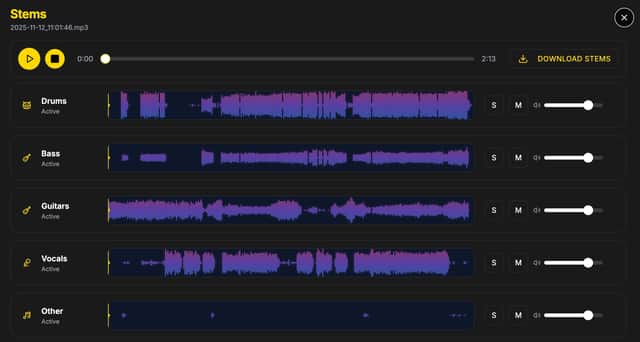
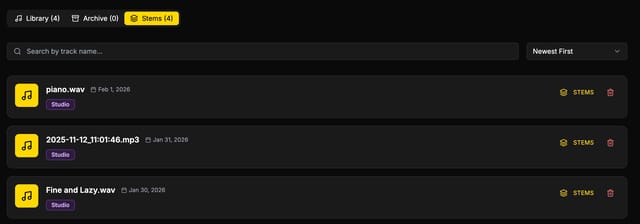
MixMaster Pro stems list showing separated instruments
Instant stem separation
Split vocals, drums, bass, and instruments with AI precision so you can remix, rebalance, or practice with clean stems.
Analysis-ready stems
Pair MixMaster Pro analysis with stems to isolate issues fast and make targeted mix decisions on the exact layer.
Studio-grade deliverables
Export stems for editors, collaborators, or mastering engineers with reliable separation and clear organization.

What are stems?

Stems are isolated audio layers of a full mix, such as vocals, drums, bass, and instruments. With MixMaster Pro, AI stem separation lets you break down a finished song into usable multitrack parts without the original session.

This is essential for remixing, rebalancing, vocal extraction, and delivering professional assets. Think of stems as instant access to the building blocks of any mix, ready for production, collaboration, and analysis.
AI stem separation for producers, DJs, editors, and audio engineers.
Stems shown inside the MixMaster Pro analysis workflow
Part of MixMaster Analysis

Stems inside MixMaster analysis

Use stems alongside your analysis to isolate problem areas and fix them faster. Solo vocals, check drum transients, or balance bass without guessing. Stems add a new layer of clarity to every MixMaster Pro report.

Layer-by-layer problem solving
Precise EQ and balance decisions
Faster mix revisions
Cleaner stems for client feedback
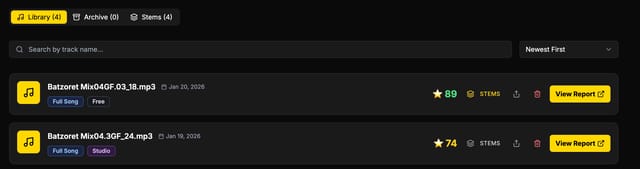
Organized stems folder exported from MixMaster ProStems library view inside MixMaster Pro
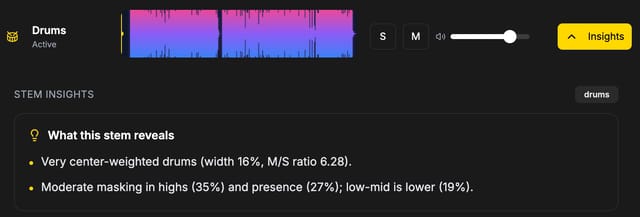
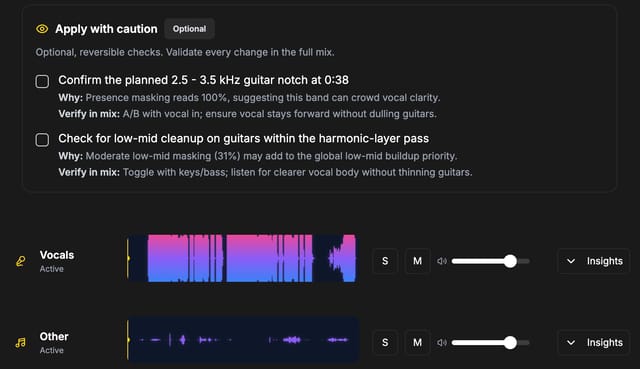
Stem Insight analysis view highlighting drum stem balanceStem Insight view showing applied fixes inside analysis
Stem Insights

Stem Insights inside analysis

Go beyond separation. Stem Insights shows where each layer is over- or under-powered, so you can rebalance fast and make confident mix moves without second guessing.

See level imbalances per stem
Solo stems while reading mix feedback
Compare stem energy against the full mix
Apply fixes with clear, stem-specific guidance

What can you do with stems?

MixMaster Pro stems are built for real-world workflows: remixing, mastering prep, performance playbacks, and fast collaboration. Export stems, isolate vocals, or rebuild a mix with confidence using AI-powered stem separation.

Create clean vocal or instrumental versionsFix balance issues without reopening a sessionPrep stems for remixes, mashups, and live showsStudy arrangement, harmonies, and production layersDeliver client-ready stems in minutesBuild practice tracks or performance playbacks

Standalone stems for every plan

Buy stems credits anytime. Studio members also receive monthly stems.

AI separation tuned for music

Designed for vocals, drums, bass, and instrument layers in real mixes.

Ready for collaboration

Export stems quickly for artists, engineers, and production teams.

Interactive Demo

Demo player controls at a glance

Use the same controls you get in MixMaster Pro to audition stems, isolate layers, and make quick mix decisions.

Play + Seek

Scan any point fast

Stop / Reset

Jump back to start

Solo / Mute

Isolate each layer

Stem Volume

Rebalance in real time

Great for

Kick vs bass masking checksFast vocal/instrument balanceTimestamped revision notes

Stems

Drink and Talk by Super Lady

0:002:32

Drums

Active

Bass

Active

Guitars

Active

Vocals

Active

Other

Active