
Audio Restoration that makes every instrument mix-ready
Reduce bleed, isolate sources, and tame room noise on individual instrument tracks - with simple controls and a preview before you commit. Audio Restoration uses the same Credits as Stems and Voice De-Noise, so one balance covers all your sessions.
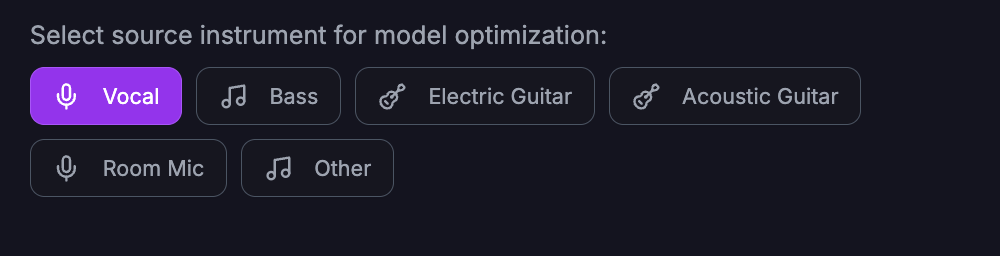
Choose source, then tune parameters
Select the instrument or source type, then adjust strength and focus. Use presets for drums, bass, keys, or custom - and preview the result before using a credit.
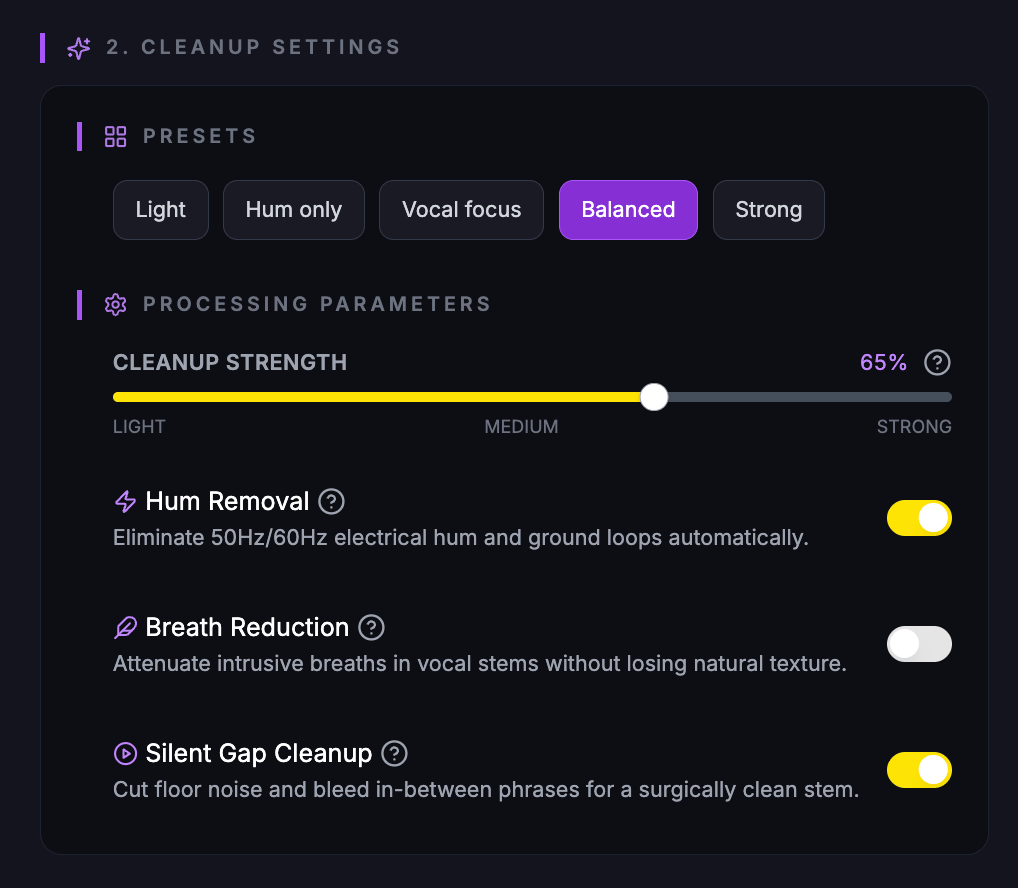
Full control over cleanup
After picking the source, fine-tune strength and focus. The parameters panel lets you match the material - whether it’s drums, bass, keys, or a custom instrument - and hear a short preview before committing a credit.
Same credits as Voice & Stems
Audio Restoration is built for instrument tracks that need bleed reduction or isolation without reopening the session. 20 credits per processed file; use Credits from your plan or buy more anytime.
One credit pool for all Audio Tools
Credits work across Stems, Voice De-Noise, and Audio Restoration. Buy once, use for any tool.
Preview before you commit
Hear a short preview with your settings. No credit used until you process the full file.
Ready to clean up your tracks?
Open Audio Restoration, upload a file, choose the source type, tweak the parameters, and preview before processing. Use your existing Credits or buy more on the Pricing page.