
Audio Tools
Karaoke tracks that keep the groove, not the vocals
Turn any song into an instrumental backing track. Karaoke uses MixMaster Pro stem separation under the hood, then mixes everything except vocals into one downloadable file - saved to your Audio Tools library.
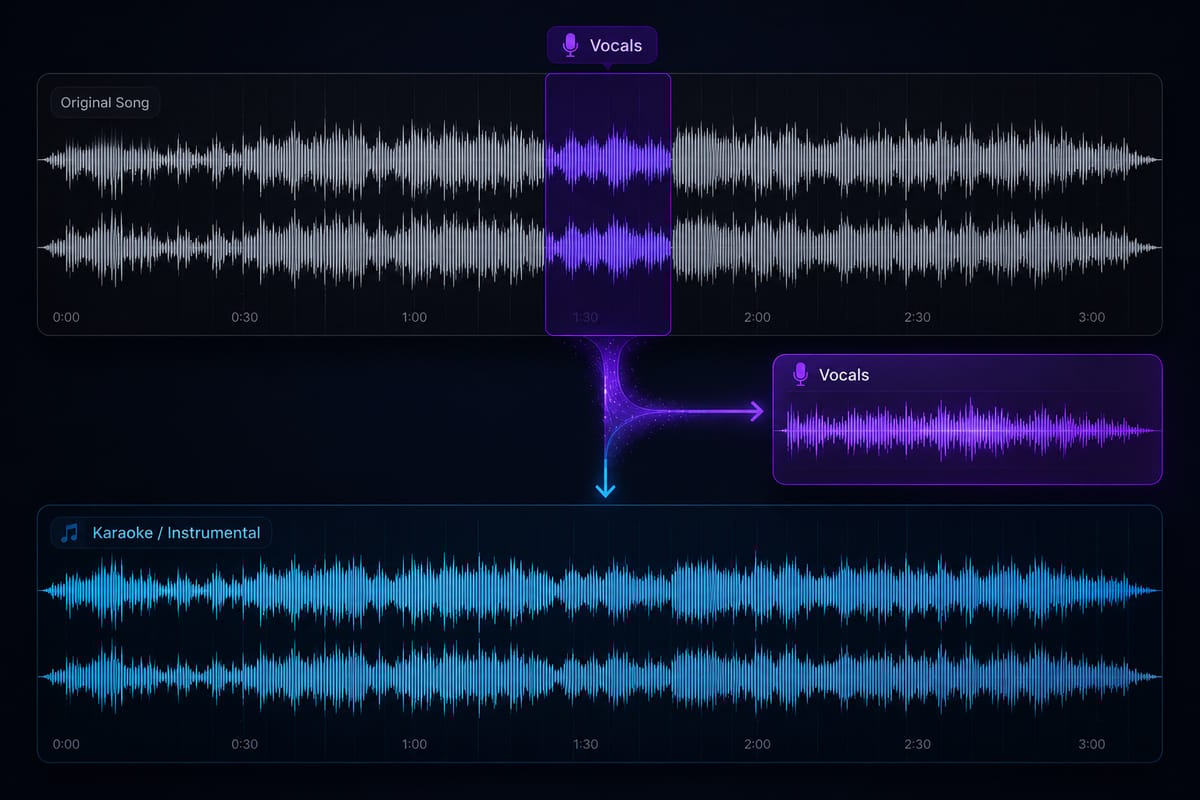
How Karaoke works
AI vocal removal
Upload any mix and get a clean instrumental in minutes - powered by the same stem separation engine behind MixMaster Pro Stems.Who it's for: Singers and karaoke hosts who need a backing track tonight.
Practice & performance ready
Sing along, rehearse arrangements, or drop the backing into a live set without hunting for official instrumentals.Who it's for: Artists rehearsing or playing live without official instrumentals.
Sync & remix friendly
Create pitch-ready instrumentals for trailers, ads, and edits. One Credit per generation, saved to your library.Who it's for: Editors and remixers pitching instrumentals for ads and edits.
Built for real sessions
Same Credits as Stems, Voice De-Noise, and Audio Restoration - one balance for every cleanup and separation job.
- Karaoke and rehearsal tracks
- Sync licensing instrumentals
- Live performance backing
- Remix and mashup prep
- Client deliverables without vocals
Ready when you are
Upload a mix, spend 20 credits, and download your instrumental. Results appear in Library → Tools alongside Voice De-Noise and Audio Restoration files.
Open Karaoke tool