
Professional Mix Analysis
Understand what's happening in your mix with deep analysis and actionable feedback - stored in your Mix Library and connected through revisions and saved references when you work on the same track.
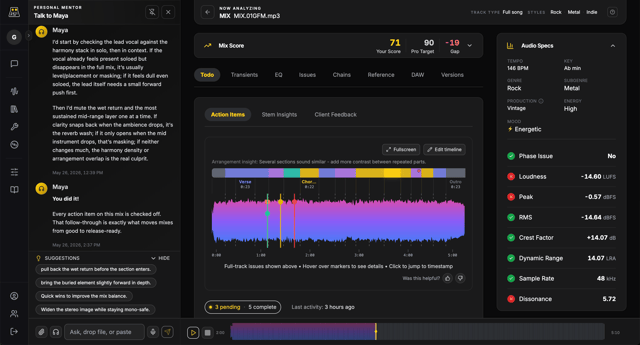
Connected context on your account
Many tools score a file and move on. MixMaster Pro stores analyses in your Mix Library, compares revisions on the same mix (Pro+), reuses saved references, and gives Maya your bound report on Pro+ - workflows you can return to, not one-time reports.
Working with clients?
Turn your mix analysis into a full revision workflow. Send your mix to clients, collect timestamped feedback, and fix everything in one place.
Actionable Feedback
Mix faster with clear, prioritized fixes and guidance you can apply immediately.
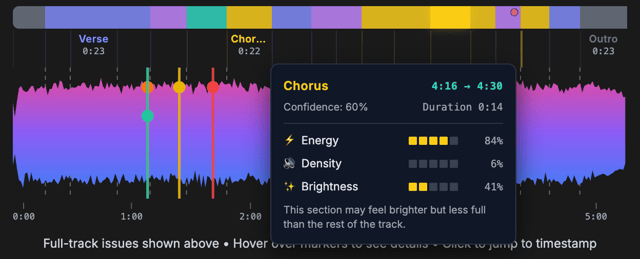
Waveform Action Items
Pinpoint issues directly on your waveform so fixes happen at the exact moment they occur.
- Jump to the second that needs attention.
- See issues in context with your track dynamics.
- Turn feedback into fast, targeted edits.
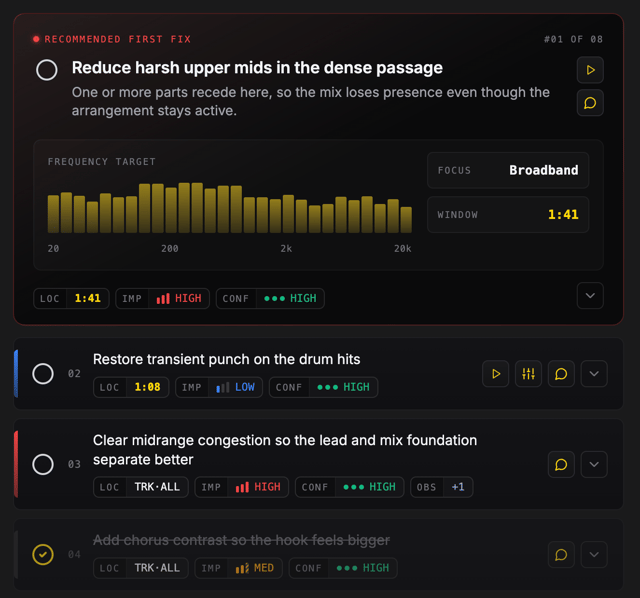
Studio-Ready Action Items
Turn every analysis into a focused to-do list so you always know the next fix that will move your mix forward.
- Prioritized by impact so you fix the biggest issues first.
- Each item explains the why and how behind the recommendation.
- Mark items complete and keep momentum across revisions.
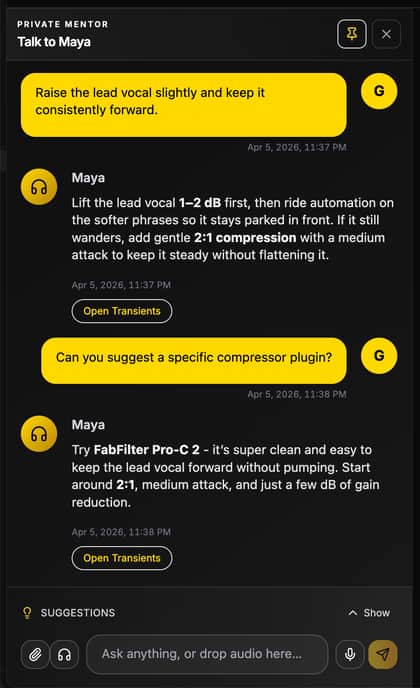
Get mix specific guidance from Maya in chat
On Pro+, Maya is your Personal Mentor for this mix: voice or text, tied to your analysis, so you can turn feedback into a clear game plan in your next session. Free is platform help only; Studio+ also remembers your style.
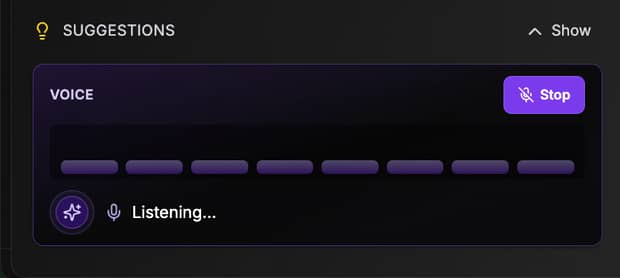
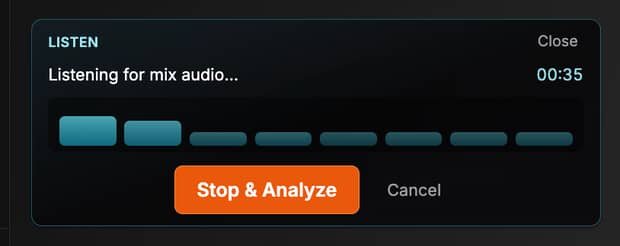
- Maya listens to your mix and analyzes changes in real time
- Talk to Maya in any language (voice or text)
- Upload a reference or revision for instant feedback from Maya
Deep Audio Analysis
Professional-grade visuals and measurements that reveal the real state of your mix.
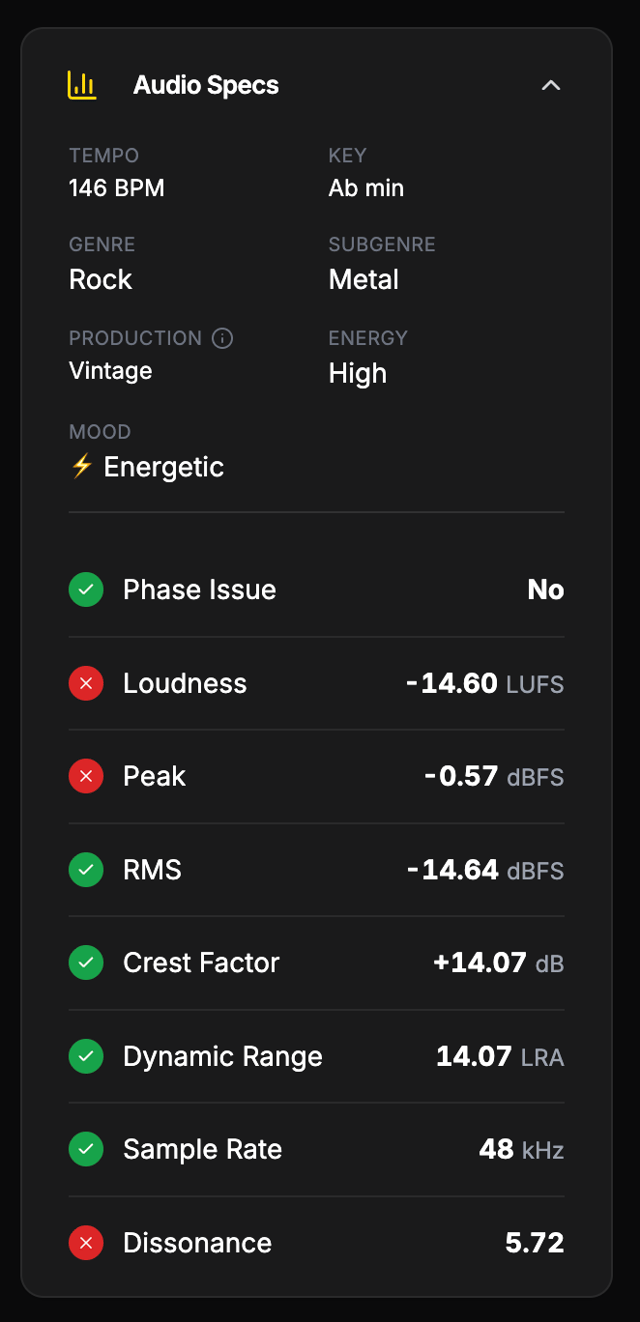
Audio Specs Dashboard
See loudness, dynamics, and headroom in seconds with mastering-grade measurements.
- LUFS, RMS, peak, and dynamic range in one view.
- Know if your mix is too hot, too quiet, or too dynamic.
- Benchmark quickly before export or mastering.
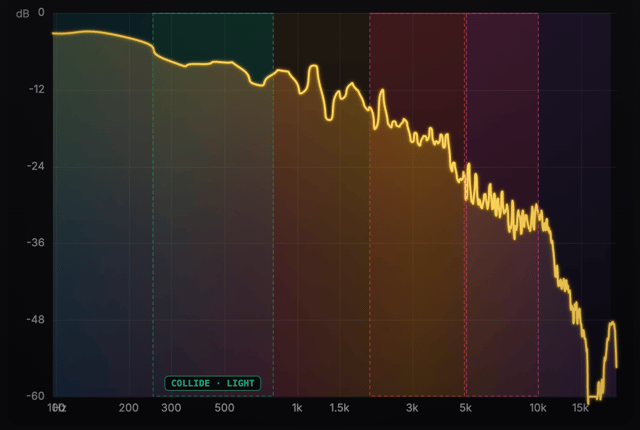
Visual EQ Spectrum Analysis
Visualize frequency balance so you can spot build-ups, holes, and masking immediately.
- Professional spectrum view tuned for mix decisions.
- Quickly identify low-end weight, midrange clarity, and top-end air.
- See how your tonal curve compares to commercial mixes.
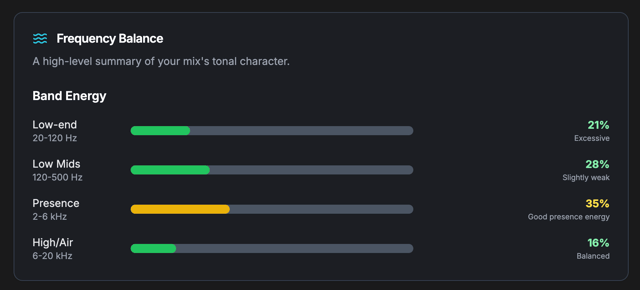
Frequency Balance & Masking
Detect harshness, mud, or thinness with precise frequency problem detection.
- Highlights problem ranges with exact frequency targets.
- Explains why the issue matters and how to fix it.
- Ideal for quick corrective EQ moves.
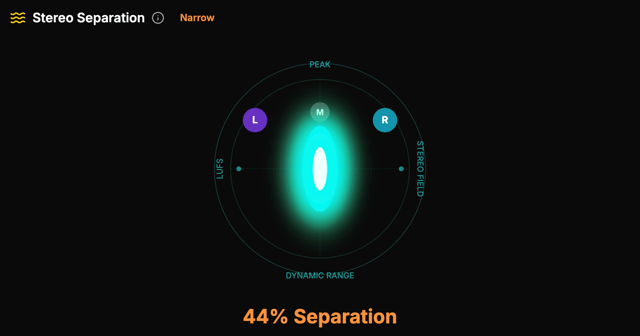
Stereo Width & Separation
Understand your stereo image so your mix stays wide without collapsing in mono.
- Measure width and balance across key frequency bands.
- Identify mono-compatibility risks early.
- Improve depth and dimension with confidence.
Workflow & Versioning
Built for real production flow, so every revision moves you closer to the finish line.
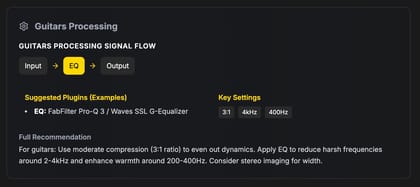
DAW-Specific Plugin Chains
Get actionable plugin chain suggestions tailored to your DAW and workflow.
- Recommendations for Pro Tools, Logic, Ableton, Cubase, and more.
- Clear starting points for EQ, compression, and saturation.
- Aligns with the genre and mix context you upload.
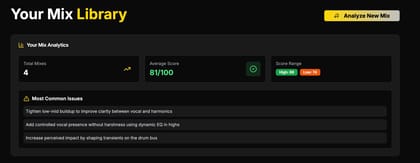
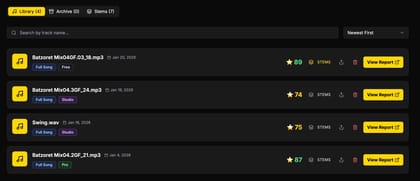
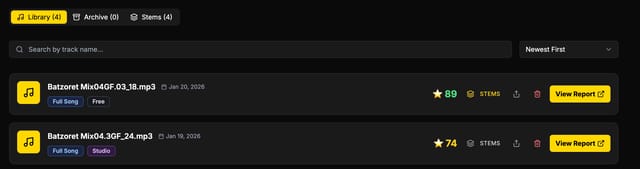
Mix Library Overview
Keep every mix, revision, and analysis organized in one place.
- Quickly find past mixes by title, date, or score.
- See progress at a glance across projects.
- Perfect for client workflows and long-term tracking.
Version Comparison View
Compare revisions side-by-side to validate improvements before you export.
- Spot changes in loudness, dynamics, and tone.
- See regression risks before final delivery.
- Make confident decisions without guesswork.
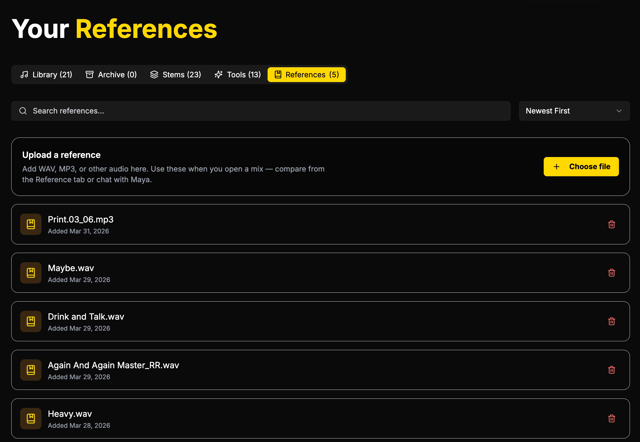
Your references, one place
Build a personal library of professional reference tracks on Pro+. Use them for A/B comparisons against your mixes; the same references plug into Maya (Personal Mentor) for mix-specific coaching.
- Save references with track type and notes so every comparison is consistent.
- Jump from analysis to the Reference tab - or open the Library - to manage your collection.
- Included on Pro+; compare and mentor workflows stay in sync.
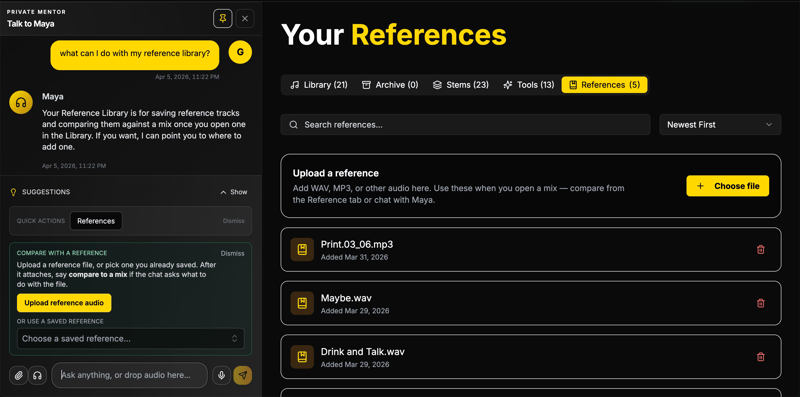
Upload a reference for Maya - instant context
Pro+ includes the References Library and technical A/B against your mix. Drop a reference or revision straight into chat with Maya. She ties it to your mix and analysis, so you get specific guidance on frequency balance, dynamics, and what to change next - without re-explaining your session.
Free: platform help in chat only. Pro+: Personal Mentor mix coaching, listen-in, and in-chat reference or revision uploads as shown. Studio and above: durable Maya memory across sessions.
Ready to compare and coach with the same references?
Sign in, open your library, and add references you trust. On Pro+, use the Reference tab for technical A/B and ask Maya in Personal Mentor to weigh in on how close you are to your targets.
Start a mix analysisStems & Stem Insights
Separate, analyze, and export stems so you can fix balance issues and deliver client-ready files.
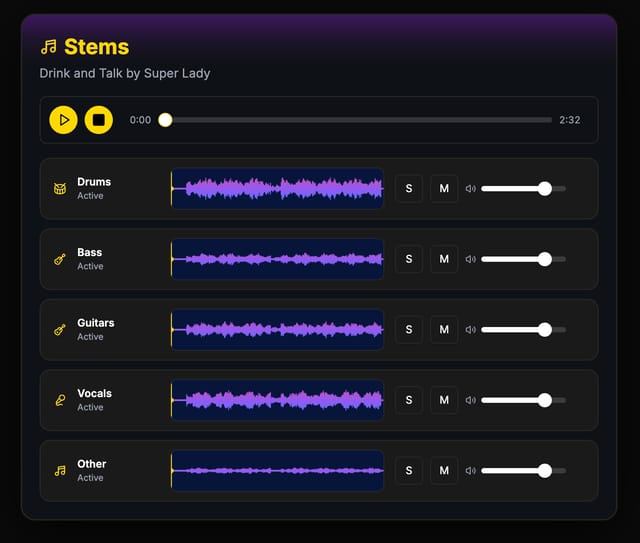
AI Stems Separation
Split vocals, drums, bass, and instruments to audit balance and isolate problem areas.
- Great for remixing, practice, or mix fixes.
- Paid plans include a monthly Credits grant; Free gets 100 Credits once.
- Anyone can purchase additional Credits anytime.
Stems for Analysis
Bring stems into your analysis workflow to understand how each layer behaves.
- Reveal masking, balance, and arrangement issues fast.
- Pinpoint which stem needs the next adjustment.
- Pair with full mix insights for a clear fix plan.
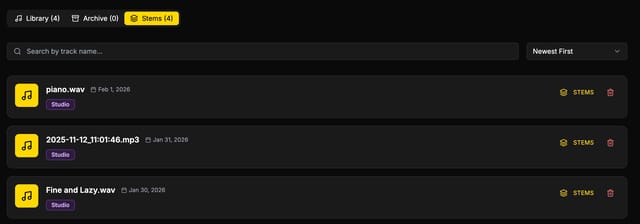
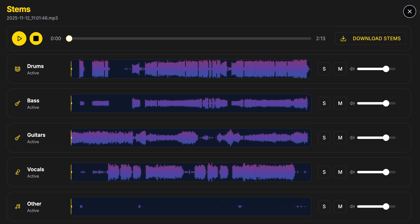

Stems Library & Export
Keep stems organized, downloadable, and ready for collaborators.
- Download organized stem packs in minutes.
- Preview stems before exporting.
- Deliver clean files to clients or mastering engineers.
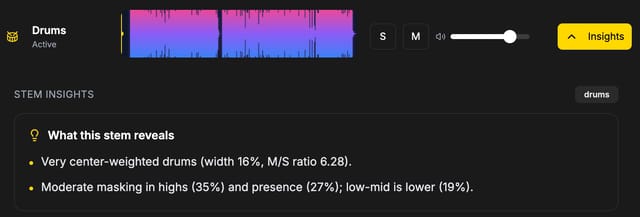
Stem Insights
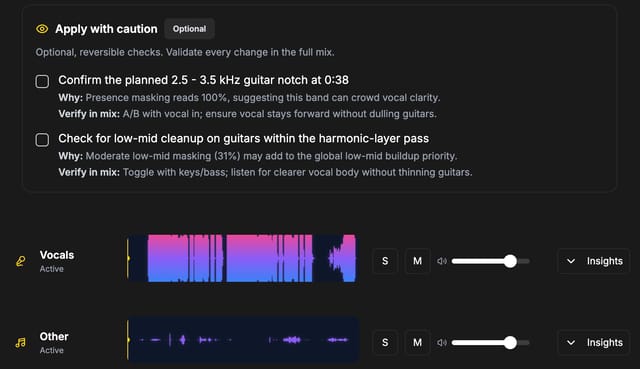
See stem-specific feedback directly inside your analysis to make targeted improvements with confidence.
- Highlights which stems are too loud, too soft, or masking others.
- Shows what changes were applied and why they helped.
- Connects stem-level fixes back to the full mix.
More Core Features
These tools round out the workflow and help you deliver release-ready mixes faster.
Transient Analysis
Analyze punch and attack so drums and transients cut through without harshness.
Smart Plugin Chain Suggestions
Suggested EQ, compression, and saturation chains tailored to your DAW and genre.
Upload & Compare Revisions
Compare versions side-by-side to validate improvements before export.
Reference Track Comparison
Match your mix against pro references to spot tonal and dynamic gaps.
Top Mix Issues (Prioritized & Explained)
Ranked list of the biggest mix problems with clear explanations and fixes.
Compare plans and unlock the full workflow
Choose the plan that fits your studio and start improving every mix today.
View Pricing